

About this experiment
I’m exploring how AI can help me write a fantasy novel and keep its world consistent across a series. I keep the manuscript and worldbuilding notes as Markdown files in GitHub and use AI for specific planning, drafting, review and verification tasks. These articles cover the practical side of the experiment. I keep the fiction itself separate.
I can spend a writing session working out who runs a city, what the locals call its officials and why a character needs to get inside after dark. A week later, I might open a new chat to plan the next chapter. By then I want to talk about what happens at the gate. I don’t want to spend the first ten minutes reconstructing the city.
In my first article on using AI to write a fantasy novel, I described the workflow from chapter brief to finished manuscript. This time I want to look at what makes it possible to pick up the work in a new conversation.
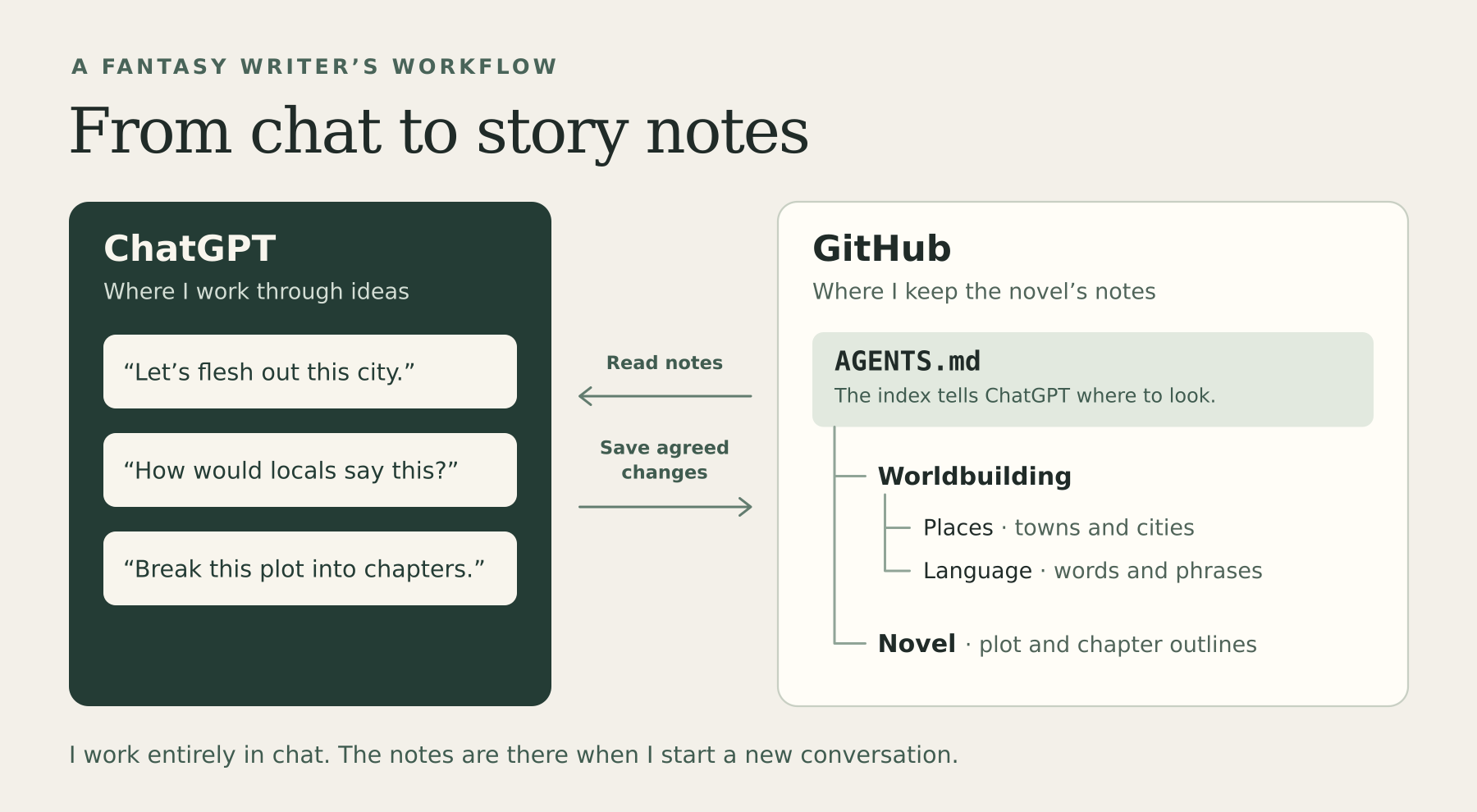
I work through ideas in chat. ChatGPT can read the notes in GitHub, and I use Chat/Work to save changes once I’ve decided what to keep. Chat is used mostly to minimise token usage, but Work is used for larger pieces of work.
Why I keep my notes in GitHub
You could use a folder of local documents and attach the ones you need when you start a chat. Google Docs would work if that’s where you already keep your notes. A wiki would give you somewhere to link related entries. In each case, the important thing is having a clear place to find the current version of a decision.
I use Git because I already know it from software development. Git tracks changes to files, and GitHub is where I keep those files and their history. Most of mine are in Markdown, which is plain text with simple formatting for headings, lists and links. I can start with one file for a region and split it into individual town and city notes when it grows. If I move a reveal from one chapter to another and later wonder why the old sequence worked better, I can compare the two versions and recover the earlier plan.
What goes in the repository
At the top of the repository is a short file called AGENTS.md. I use it as a table of contents with instructions. It points to the folders that hold the relevant notes and explains where to record new decisions. Here’s a simplified example using an invented setting.
| File or folder | What I’d put there |
|---|---|
AGENTS.md |
Where to find the world notes and book plan, and how to distinguish decisions from ideas |
world/places/greyhaven.md |
A city’s layout, who runs it and what matters to scenes set there |
world/language.md |
Titles, forms of address and expressions characters might use |
story/book-one/plot.md |
Major events, character decisions and their consequences |
story/book-one/chapters/ |
Chapter outlines, including what each chapter sets up for later |
story/book-one/open-questions.md |
Ideas I’m still considering |
I started by fleshing out the world. Once I had enough to tell a story in it, the story began to show me where I needed more detail. A scene at a city gate gives me a reason to work out who has the authority to open it. A conversation with the guard gives me a reason to decide how people address her. I can leave the rest of the city’s administration for a scene that actually needs it.
How ChatGPT finds the right notes
In ChatGPT, open Settings → Plugins, choose GitHub, and authorise access to the repository you want to use. In a chat that supports the connection, name your repository and tell ChatGPT where to start. It fetches the relevant files on demand. Availability depends on your plan and which ChatGPT mode you’re using. OpenAI’s GitHub connection guide
In my
fantasy-novelrepository, start withAGENTS.md. Find the Greyhaven notes and the Chapter Six outline. What have I already decided about getting into the city after dark? Tell me which files you used and what’s still open.
Suppose the outline calls for an arrival after dark, but the city notes say only that the gates close at dusk. We might talk through several ways in. I decide that the harbour watch can open a side gate after dusk. I’d save that rule in the city note, put the arrival itself in the chapter outline and leave the question of who commands the watch open.
The standard GitHub connection in ChatGPT is read-only. I talk through ideas in Chat, then use Codex in Work when I want the agreed changes applied to the files. You can also ask ChatGPT for the exact wording and add it to GitHub yourself.
Try it with one scene
Start with an index, one location note and one chapter outline. The index can be as short as this.
Read
world/places/greyhaven.mdfor established facts andstory/book-one/chapters/chapter-06.mdfor the scene plan. Flag missing details as open questions. Record a new fact once I’ve agreed to it.
Settle one detail in chat and save it. Then open a fresh chat and ask how that detail affects the next scene. For Greyhaven I’d ask who the protagonist needs to approach after dusk. If the answer points me to the harbour watch and shows me where that was decided, I can get straight back to planning the scene.